
Download Google Gears – offline access, Google Reader, web apps, internet connection, productivity tool, RSS entries, browser compatibility, travel, work, stability
Overview
Google Gears was introduced as a pioneering tool designed to address a persistent challenge in the digital era: maintaining productivity and access to essential services when internet connectivity is unavailable. Targeted primarily at users who frequently travel, work in remote areas, or operate in environments with inconsistent network access, the application enables the use of select Google web applications without an active internet connection. Its core function revolves around offline access, making it particularly valuable for individuals who rely on content aggregation and information consumption during commutes, flights, or field operations.
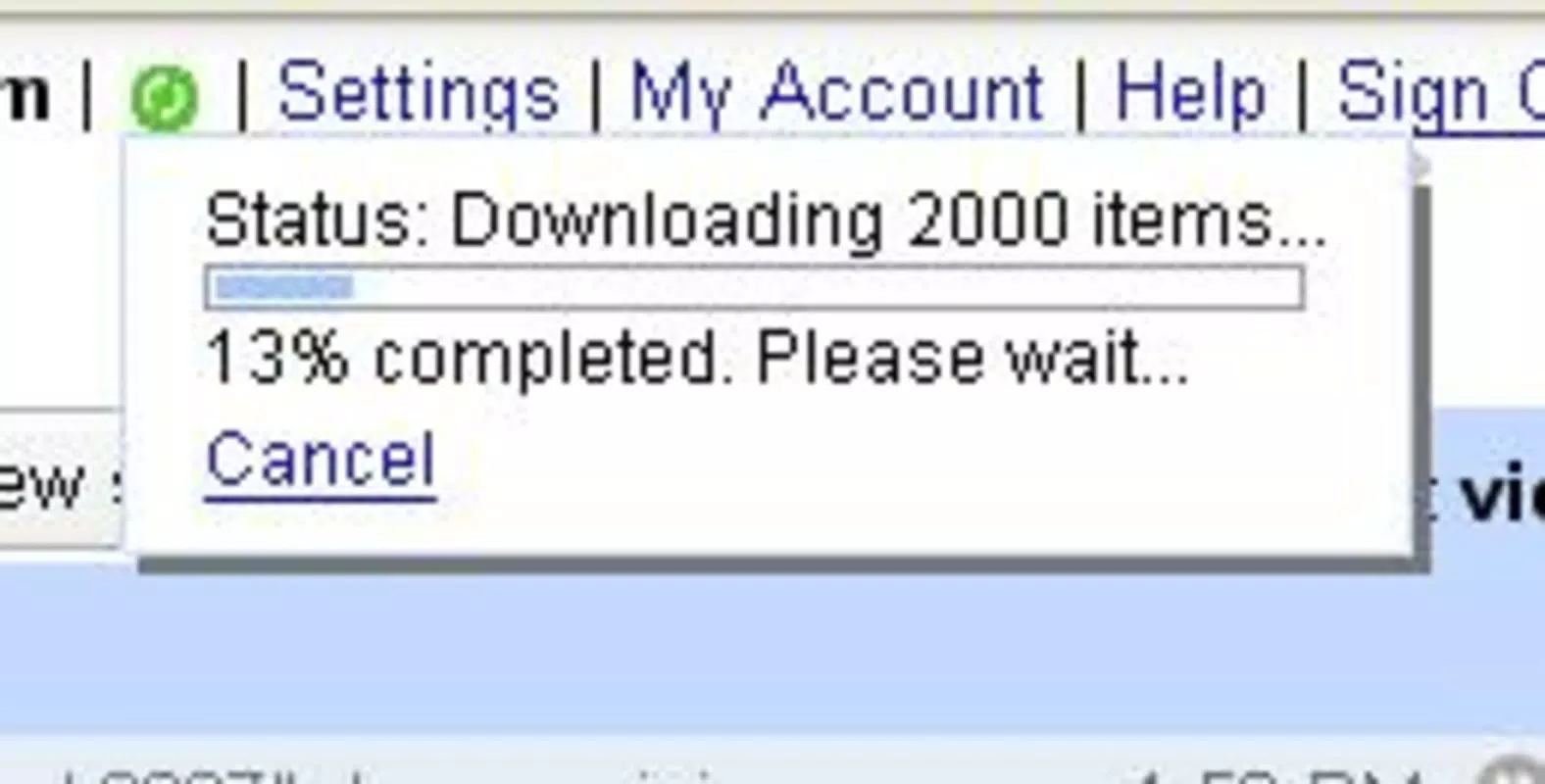
The app currently supports Google Reader, allowing users to download up to 2000 RSS entries for offline reading—a significant advantage for journalists, researchers, and avid content consumers. Although the developer did not provide additional technical details, the tool’s focus on stability and seamless integration with existing workflows highlights its role as a utility for enhancing digital resilience. In the broader app ecosystem, Google Gears served as an early attempt to bridge the gap between web-based applications and offline functionality, laying groundwork for future developments in progressive web apps and offline-first design.
Its relevance remains notable in discussions about web application evolution and user autonomy in low-connectivity scenarios.
Key Features & Functionality
- Offline Access: Enables users to interact with supported Google web apps without an internet connection, allowing uninterrupted work or content consumption during travel or in areas with poor connectivity.
- User-Friendly Interface: Features an intuitive navigator that simplifies installation and setup, making the tool accessible to users with varying levels of technical expertise.
- Google Reader Integration: Specifically designed to support Google Reader, allowing users to download and store up to 2000 RSS entries for offline reading and review.
- Cross-Browser Compatibility: Functions seamlessly with both Internet Explorer and Mozilla Firefox, offering flexibility for users who prefer different browsing environments.
- Future-Proof Design: Built with potential expansion in mind, with anticipated support for additional Google applications such as Google Docs and Google Calendar, signaling long-term utility.
For example, a journalist on a long flight can use Google Gears to download news feeds from multiple sources in advance, ensuring they can stay updated without relying on in-flight Wi-Fi. Similarly, a field researcher in a rural area can access critical reports and articles offline, maintaining workflow continuity. The ability to manage content independently of real-time connectivity enhances user control and reduces dependency on network availability. While the current scope is limited to Google Reader, the architectural foundation suggests a scalable approach to offline functionality. This makes Google Gears not just a temporary fix, but a forward-thinking utility that anticipates evolving user needs in an increasingly mobile and disconnected world.
Interface, UX & Performance
The interface of Google Gears is designed with simplicity and functionality in mind. The installation process is straightforward, guided by a clear navigator that walks users through each step without requiring advanced technical knowledge. Once installed, the app integrates into the browser environment with minimal disruption, offering a clean and unobtrusive experience.
Navigation is intuitive, with logical placement of core functions such as syncing and managing downloaded content. The visual style aligns with the web application aesthetics of the early 2010s, prioritizing utility over graphical flair. Although the developer did not list formal performance metrics, the application is reported to operate smoothly on standard Windows systems, with minimal impact on system resources.
Responsiveness is consistent during offline use, with quick access to stored RSS entries and efficient syncing when connectivity is restored. Stability appears to be a core design goal, as the tool maintains data integrity across sessions and handles interruptions gracefully. Performance may vary depending on device capabilities, but the lightweight nature of the 2.5 MB file size suggests it is optimized for older or lower-spec machines.
The overall user experience reflects a focus on reliability and ease of use, making it suitable for both casual users and professionals seeking dependable offline access to digital content.
Platform Compatibility & Technical Requirements
Google Gears is designed exclusively for the Windows operating system, with no information available regarding compatibility with other platforms. The current version, 0.1.196, has a file size of 2.5 MB, indicating a lightweight installation that should not place significant demands on storage or processing power. The developer did not specify minimum OS requirements, nor did they provide details about required hardware specifications or browser versions beyond compatibility with Internet Explorer and Mozilla Firefox.
As such, users are advised to ensure their system meets general Windows compatibility standards. The lack of clarity on specific technical requirements means that installation and performance may vary across different Windows environments. However, the application’s small footprint and browser-based architecture suggest broad compatibility with mainstream Windows systems from the early 2010s.
For users seeking to install or update Google Gears, it is recommended to verify system conditions and consult official sources if available. The absence of detailed requirements underscores the importance of caution when deploying on modern or non-standard systems.
Pros and Cons
- Provides reliable offline access to Google web applications
- Simple, intuitive interface suitable for non-technical users
- Supports up to 2000 RSS entries for offline reading
- Compatible with both Internet Explorer and Mozilla Firefox
- Lightweight file size of 2.5 MB
- Designed with future expansion in mind
- Currently limited to Google Reader only
- Platform restricted to Windows
- No official support for mobile or modern web environments
- Development appears to have ceased
- Limited information on system requirements
FAQ
Is Google Gears still supported?
Google Gears was discontinued in 2010, and the developer has not released updates since. While it may still function on older Windows systems, ongoing support is not available.
Can I install Google Gears on macOS or Linux?
Google Gears was developed exclusively for Windows. There is no official version available for macOS or Linux systems.
Does Google Gears work on modern browsers?
Google Gears was designed for Internet Explorer and Mozilla Firefox from the early 2010s. It is not compatible with modern browsers such as Chrome, Edge, or Firefox versions released after 2012.
Is Google Gears secure to use?
As a free plugin from Google, it was considered secure at the time of release. However, due to its age and lack of updates, using it on current systems may pose security risks.
Can I use Google Gears with other Google services?
At the time of its release, Google Gears only supported Google Reader. Future integration with services like Google Docs or Google Calendar was planned but never implemented.
Final Thoughts
Google Gears stands as a significant milestone in the evolution of web application accessibility, offering a practical solution for users who need to work offline. While its functionality is currently limited to Google Reader and its platform support is restricted to Windows, the tool’s design principles—simplicity, reliability, and forward-thinking architecture—remain relevant. It represents an early attempt to empower users with greater control over their digital workflows, particularly in low-connectivity environments.
For professionals in journalism, research, or travel, the ability to download and review content offline remains a valuable asset. Though development has ceased and modern alternatives now exist, Google Gears continues to serve as a historical reference point for offline-first design. Its legacy lives on in today’s progressive web apps and offline-capable tools.
Download Google Gears now to experience a foundational tool that once bridged the gap between online and offline digital life.


